Find Better Blog Topics in Google Search Console Without Chasing Every Query
Search Console can show which queries already lead people to your pages and which pages appear in search without earning many clicks. It cannot tell you the full market size for a topic, and a high impression count does not by itself mean you should write a new article.
Google's Performance report provides clicks, impressions, click-through rate and average position by query, page and other dimensions. Use those numbers to form a question about a reader need, then inspect the actual page before deciding what to write.
Export a manageable set
Choose a consistent recent period and compare it with the previous equivalent period if you have enough history. Export queries and pages for the blog or service section you want to improve. Keep a sheet with query, current landing page, impressions, clicks, country, reader intent, and next action.
For a new site, there may be little or no data. That is normal. Start with customer questions and your actual services, then return to Search Console after the site has been indexed and has accumulated observations.
Classify each query before writing
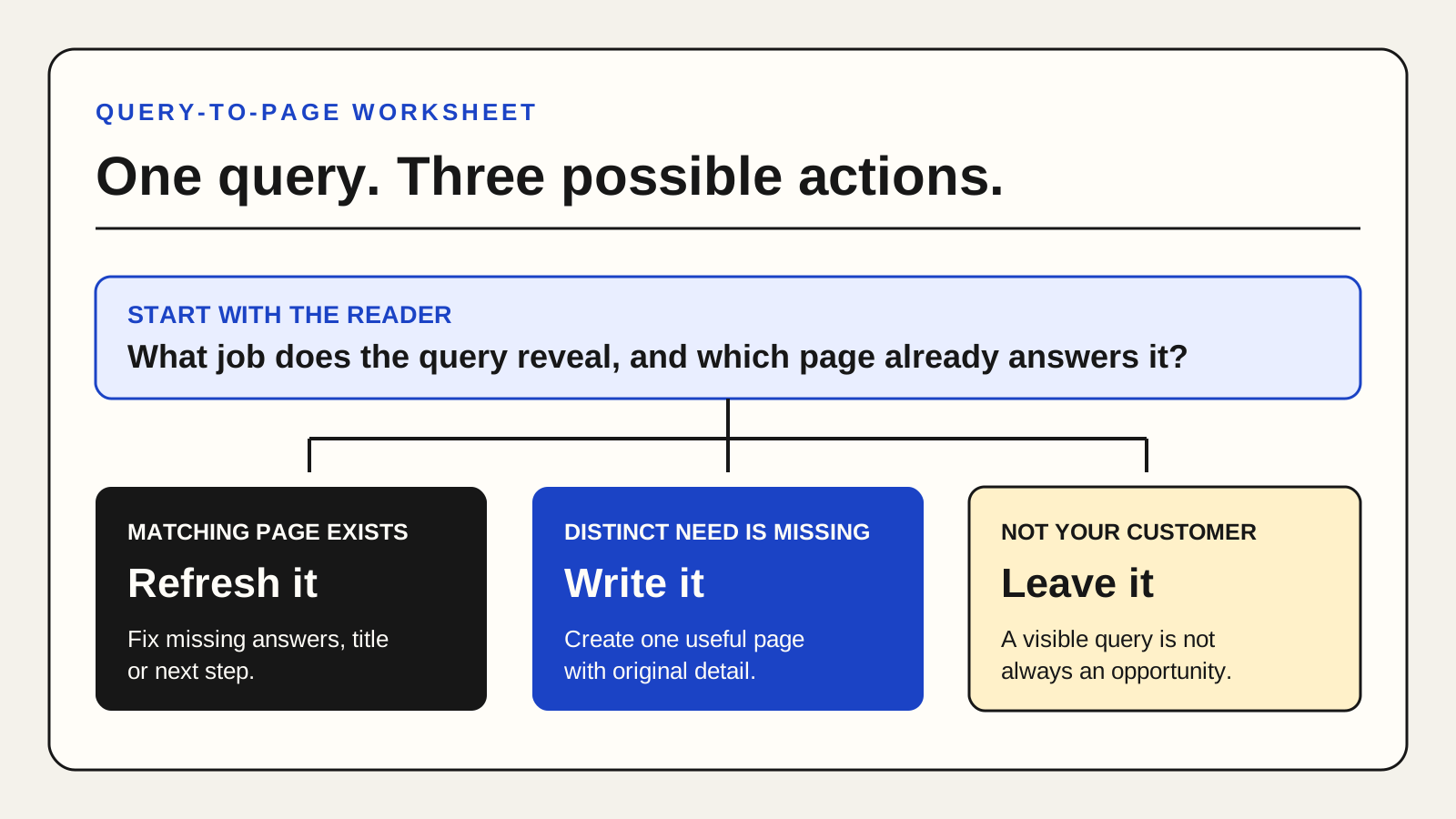
Refresh the existing page when it already answers the query but the answer is buried, incomplete or outdated. Add the missing step, clearer heading, current source or better example. Preserve a useful URL rather than creating a near-duplicate.
Create a distinct new page when the reader's job is materially different and the existing page would become confusing if it tried to cover both. For example, “how to write a Google Business description” and “how to fix a broken booking link” are different tasks.
Take no content action when the query is irrelevant to the business, outside your expertise, or likely to attract readers who cannot use your service. Traffic from a poor-fit query can consume writing time without helping customers.
Inspect the query-page mismatch
Open the current landing page on a phone. Does the title accurately promise what the page delivers? Can a reader find the answer near the top? Are there real examples or a worksheet? Is the next step related to the question? Low click-through rate can reflect many factors, including query intent, result layout and position, so do not declare the title the cause without further evidence.
Illustrative example: a service page receives impressions for “consultant onboarding checklist,” but only describes pricing. A practical onboarding guide may be useful if the firm actually has a process to share. A generic article generated only to capture that query would add little.
Use a four-box priority note
Put each candidate in one of four groups: high reader fit / existing page, high reader fit / missing page, low reader fit / existing page, or low reader fit / missing page. Work first on the high-fit existing pages, because they already have a destination and a concrete gap. Then consider a new page that answers a distinct, frequent customer question with material you can substantiate.
Record the date of each change and compare later periods without assuming causation. Google's Search Console use cases can help with further diagnosis. If writing the selected topics is the bottleneck, the Content Engine provides monthly social drafts, while the Full Report can review broader site gaps.