When Does a Local Service Business Need a Separate City Page?
A page for every town in a service radius can look like coverage, but twenty pages with the same text and swapped place names do little for a customer. A separate local page earns its place when it answers a distinct question about working in that location.
Google's people-first content guidance asks whether a page adds original value. Its Search Essentials prohibit doorway tactics designed to funnel similar searches to one destination. Use the decision below as a writing test, not a recipe for a ranking boost.
Decide whether a page deserves to exist
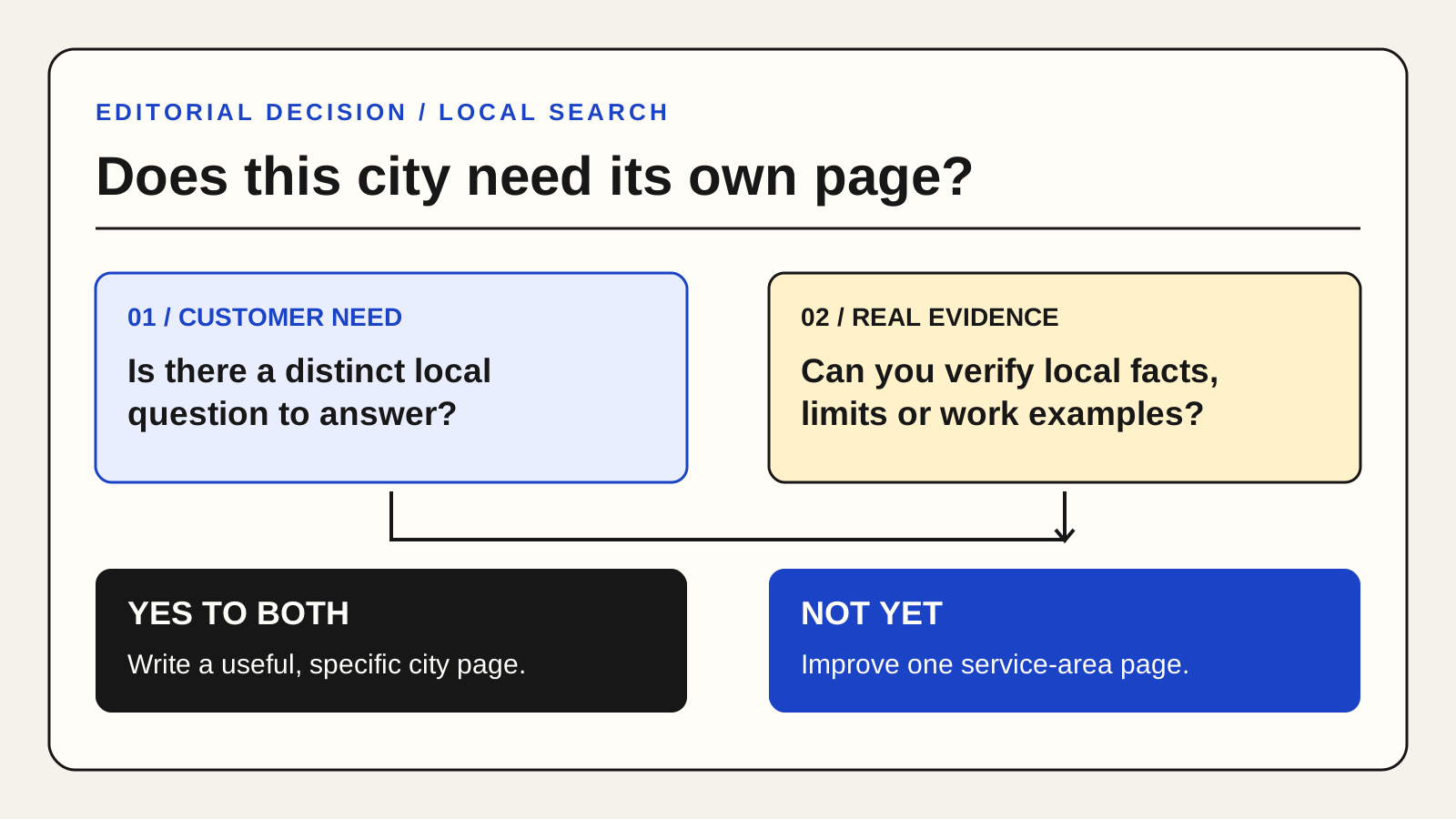
Create a separate city or area page only if you can answer at least two location-specific questions with verified facts. Examples: Does response time differ? Is there a local office or team? Are there service exclusions, local permits, appointment options or genuinely different work examples? Would a customer in that place make a better decision after reading the page?
If the only difference is the city name in the heading, improve one service-area page instead. State the areas you actually serve, any travel limits, your main services and how someone can confirm availability. This is often clearer than a set of near-duplicates.
A page brief that prevents filler
Before writing, fill in these fields:
- Customer need in this area: A real question or constraint, not a keyword variation.
- Service delivered: What is included and who is eligible.
- Local evidence: A permissioned project example, team location, service process or relevant local rule. Label hypothetical examples.
- Coverage and timing: What you can truthfully promise about travel, appointments or response.
- Next step: A contact path that works on mobile and states what happens after submission.
If you cannot fill in the local evidence field without invented claims, hold the page. A broad area page can still serve readers well.
Write the visible page first
Use a unique title that names the service and place only when the page genuinely covers both. Explain the service in readable text. Link to the main service page for general scope and pricing rather than repeating a large block of copy. Add relevant photos only when you have the rights and when they show real work or useful context; do not use a generic city skyline as proof of local presence.
Do not create addresses, offices or Google Business Profiles for locations where the business does not actually operate. For service-area profile rules, see the Google Business Profile address guide.
Review before publishing
Compare the draft with your other location pages. If most sections can be reused unchanged, merge them or strengthen the distinct information. Ask someone unfamiliar with your business what they learned about that area. Then test the contact action, mobile layout and internal links.
Monitor Search Console by page and query after publication. A page that gets impressions without useful inquiries may need clearer fit or a better next step; a page with no unique value may be better consolidated. The AI visibility audit checklist can help review technical access, while the Full Report provides a human prioritised page plan.